

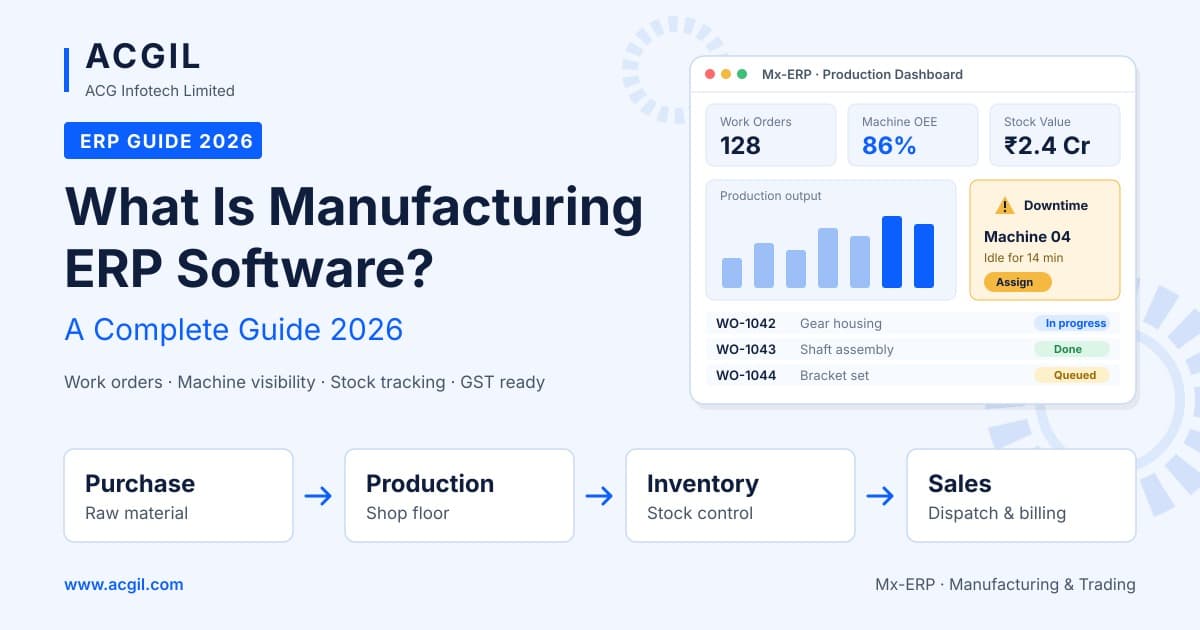
Indian manufacturers face increasing pressure from multiple directions, including fluctuating raw material prices, shorter delivery timelines, changing customer expectations and growing compliance requirements. Managing production, inventory, procurement and financial operations through spreadsheets and disconnected applications can make it difficult to maintain efficiency and control.
This is where manufacturing ERP software becomes important. It connects shop floor operations, stores, purchasing, finance, sales and other business functions through one integrated platform. With centralised information, manufacturers can improve coordination, monitor production activities and make better business decisions.
In this guide, we explain what manufacturing ERP software is, the different types of manufacturing processes, essential ERP features, business benefits, selection criteria and implementation steps. We also explore why Sage X3 is worth considering when evaluating ERP software for the manufacturing industry in India.
What Is Manufacturing ERP Software?
Manufacturing ERP (Enterprise Resource Planning) is an integrated software solution designed to manage and coordinate the major activities of a manufacturing business. It connects processes from customer orders and demand forecasting to material procurement, production, quality inspection, inventory, dispatch and financial management.
While general business ERP software focuses on functions such as accounting, sales and human resources, manufacturing ERP includes additional capabilities required for factory operations.
- Bill of Materials (BOM) and product structure management.
- Production planning and scheduling.
- Material Requirement Planning (MRP).
- Work order and shop floor management.
- Inventory and warehouse management.
- Quality control and inspection.
- Batch, lot and serial number traceability.
- Product costing and financial management.
- Procurement and supplier management.
- Sales, dispatch and distribution management.
For example, when a customer changes an order quantity, an integrated manufacturing ERP can help recalculate material requirements, identify stock shortages, adjust production schedules and provide updated delivery information. This reduces the need for manual coordination between multiple departments.
For Indian manufacturers, the right ERP solution should also support relevant statutory and operational requirements, including GST, e-invoicing, e-way bills, TDS and multi-location business operations.
Types of Manufacturing Processes
Every manufacturing business operates differently. Some produce standard products in large quantities, while others manufacture customised products based on individual customer requirements. Understanding your production model is important when selecting manufacturing ERP software.
1. Discrete Manufacturing
Discrete manufacturing involves producing separate, countable products using defined components and materials. Examples include automobile parts, machinery, electronics, furniture and industrial equipment.
These businesses generally require multi-level Bills of Materials (BOM), production routing, engineering change management, work order tracking and serial number traceability.
2. Process Manufacturing
Process manufacturing involves producing goods using formulas, recipes or predefined ingredient combinations. It is commonly found in industries such as chemicals, food and beverages, pharmaceuticals, paints and FMCG.
Important requirements include batch and lot management, expiry date tracking, yield monitoring, quality testing and product traceability.
3. Make-to-Stock (MTS)
Make-to-stock manufacturing involves producing goods based on estimated demand or sales forecasts and storing finished products until customer orders are received.
Accurate demand forecasting, inventory planning and stock optimisation are important for avoiding excess inventory and product shortages.
4. Make-to-Order (MTO)
In make-to-order manufacturing, production begins after receiving a confirmed customer order. Products are manufactured according to the required specifications and quantities.
Businesses following this model need accurate order planning, material availability checks, production scheduling and delivery date management.
5. Engineer-to-Order (ETO)
Engineer-to-order manufacturing involves designing and producing customised products according to specific customer requirements. It is commonly used by capital equipment manufacturers, industrial machinery companies and specialised engineering businesses.
Project costing, design revisions, engineering changes, milestone tracking and customised material planning are important ERP requirements for this production model.
6. Repetitive and Mixed-Mode Manufacturing
Repetitive manufacturing involves producing large quantities of standard products through recurring production operations. Mixed-mode manufacturing combines multiple production approaches within the same facility.
These businesses need effective production scheduling, work centre management, capacity planning and coordination between different manufacturing processes.
Many Indian manufacturers operate with more than one production model. A flexible manufacturing ERP should support these different workflows without forcing the business to follow a single rigid production structure.
Key Features of Manufacturing ERP Software
When evaluating ERP software for the manufacturing industry, businesses should look beyond basic accounting and inventory functions. The system should support production planning, shop floor operations, quality management and financial control. Here are the essential features to consider.
1. Bill of Materials and Routing Management
A Bill of Materials (BOM) defines the raw materials, components and quantities required to manufacture a finished product. Routing defines the sequence of operations involved in production.
Manufacturing ERP software helps manage multi-level BOMs, alternative materials, product versions, production routes, work centres and labour requirements. This helps production teams follow standard manufacturing processes and maintain accurate material requirements.
2. Production Planning and Scheduling
Production planning ensures that manufacturing activities are organised according to customer demand, available materials, machine capacity and delivery timelines.
Features such as Material Requirement Planning (MRP) and Master Production Scheduling (MPS) help convert demand into planned production and purchase requirements. They also help manufacturers identify material shortages, monitor capacity and adjust schedules when production priorities change.
3. Shop Floor Management
Shop floor management provides visibility into the actual manufacturing activities taking place within a factory. It helps production managers monitor work orders, material consumption, operation progress and production output.
Important capabilities include:
- Work order creation and release.
- Material issue and consumption tracking.
- Operation-wise production reporting.
- Work centre and machine utilisation.
- Production progress monitoring.
- Barcode-based data capture, where supported.
These functions help manufacturers identify production delays, monitor operational performance and improve coordination between planning and shop floor teams.
4. Inventory and Warehouse Management
Manufacturing companies handle raw materials, work-in-progress items, finished products and spare parts. Managing these materials across different storage locations requires accurate stock records and proper tracking.
Manufacturing ERP software helps manage multi-location inventory, batch and serial numbers, warehouse bins, stock transfers, cycle counts and material movements. It can also support FIFO and FEFO inventory practices, helping businesses manage stock rotation according to their requirements.
5. Procurement and Supplier Management
Timely procurement is essential for uninterrupted manufacturing operations. Shortages of critical raw materials can delay production, while excess purchasing increases inventory holding costs.
Procurement management features connect purchase requisitions, purchase orders, goods receipts, supplier records and vendor payments.
- Manage purchase requests and approvals.
- Maintain supplier and vendor information.
- Track purchase orders and deliveries.
- Monitor supplier performance.
- Manage subcontracting and job work.
- Calculate landed costs where supported.
These capabilities help procurement teams coordinate with production planners and maintain better control over purchasing activities.
6. Quality Management
Product quality directly affects customer satisfaction, regulatory compliance and manufacturing costs. A quality management module helps businesses establish inspection procedures and maintain quality records throughout production.
It can support incoming material inspections, in-process quality checks, final product inspections, non-conformance reporting and certificates of analysis. These records help manufacturers identify defects, investigate quality issues and improve production consistency.
7. Product Costing and Financial Management
Understanding the actual cost of manufacturing is essential for determining product profitability and making informed pricing decisions.
Manufacturing ERP connects production costs with financial records. It can help monitor raw material costs, labour expenses, overheads, standard costs, actual costs and production variances.
Integrated financial management also supports general ledger, accounts payable, accounts receivable and other accounting activities. This gives management better visibility into product margins and overall business performance.
8. Maintenance Management
Machine breakdowns and unplanned equipment downtime can affect production schedules and increase operating costs. Maintenance management helps manufacturers monitor equipment conditions and organise maintenance activities.
Important capabilities include preventive maintenance schedules, breakdown records, maintenance history, spare parts tracking and equipment service planning. These functions help reduce unexpected interruptions and improve equipment availability.
9. Sales, CRM and Distribution Management
Manufacturing businesses need to coordinate customer orders, quotations, production requirements, dispatch and invoicing. When these activities are managed through separate systems, order information can become inconsistent.
An integrated ERP connects sales quotations, customer orders, delivery planning, dispatch documentation and invoicing. It helps sales and production teams work with updated order information and coordinate delivery commitments more effectively.
10. Indian Statutory Compliance
Manufacturers operating in India need to manage several tax and statutory requirements. An ERP solution should support relevant compliance processes and help maintain accurate financial and transactional records.
Important requirements include GST, e-invoicing, e-way bills, TDS and applicable multi-state business transactions. Businesses should verify the exact statutory functionality and update process available in the selected ERP solution.
11. Analytics and Reporting
Manufacturing management requires accurate information about production efficiency, inventory, quality, delivery performance and financial results.
ERP dashboards and reports can help monitor important performance indicators such as Overall Equipment Effectiveness (OEE), on-time delivery, inventory turnover, production output, material consumption and product margins.
These reports help managers identify operational gaps and make decisions using consolidated business information.
12. Scalability and System Integration
As a manufacturing business expands, its software requirements also change. The ERP should be capable of supporting additional users, plants, warehouses, business entities and currencies.
It should also provide suitable integration options for shop floor systems, barcode scanners, banking applications, customer management tools and business intelligence platforms. Deployment flexibility, including cloud and on-premise options, should also be considered.
Benefits of Manufacturing ERP Software
Implementing manufacturing ERP software can improve operational efficiency, cost control and business visibility. Some of the major benefits include:
- Lower inventory and material costs: Accurate material planning helps reduce unnecessary stock accumulation and material shortages, improving working capital utilisation.
- Higher production productivity: Better scheduling and resource allocation help reduce idle time, production delays and avoidable rework.
- Improved on-time delivery: Connected order tracking, production planning and material availability information help manufacturers manage delivery commitments.
- Accurate product costing: Monitoring material, labour and overhead costs helps businesses understand actual product profitability.
- Better quality and traceability: Batch and serial number tracking helps manufacturers investigate quality issues and identify affected materials or products.
- Simplified compliance management: Integrated financial and transactional records support GST, e-invoicing and other applicable compliance activities.
- Faster business decisions: Management dashboards provide better access to production, inventory, sales and financial information.
- Business scalability: An integrated system can support additional plants, warehouses, product lines and business entities as the organisation grows.
One of the biggest advantages is improved coordination. When purchasing, production, stores, sales and finance teams work with the same business information, communication gaps and inconsistencies can be reduced.
How to Choose the Best Manufacturing ERP Software?
Selecting the best ERP software for manufacturing in India requires understanding your production processes, business priorities and future expansion plans. Consider the following factors before making a decision.
- Define your manufacturing processes: Understand how your business plans, produces, stores, inspects and dispatches products. Identify whether you follow discrete, process, repetitive or mixed-mode manufacturing.
- Evaluate industry-specific functionality: Check whether the ERP supports your BOMs, production routes, work orders, material planning and quality requirements. Request a demonstration using actual business scenarios.
- Verify Indian compliance: Check support for GST, e-invoicing, e-way bills, TDS and job work requirements. Confirm whether statutory updates are included.
- Check scalability: Ensure that the system can support additional users, factories, warehouses, currencies and business entities as your organisation grows.
- Compare deployment options: Evaluate cloud, on-premise and hybrid deployment based on infrastructure, accessibility, security requirements and IT resources.
- Evaluate usability: Production operators, planners, warehouse teams and accounts staff should be able to use the system effectively. User-friendly interfaces and suitable mobile access can improve adoption.
- Assess integration capabilities: Check available integration options for shop floor applications, machines, barcode scanners, CRM systems, banking and reporting tools.
- Evaluate the implementation partner: Consider industry experience, implementation methodology, training, local support and post-implementation services.
- Calculate total cost of ownership: Consider software licences or subscriptions, implementation, customisation, training, upgrades and annual support costs.
- Review vendor stability and roadmap: Choose a software provider with a clear product development direction and the ability to support your business over the long term.
The right manufacturing ERP is the one that supports your actual production processes, fits your budget and can accommodate future business requirements.
How to Implement Manufacturing ERP Software: Step-by-Step Guide
Successful manufacturing ERP implementation requires proper planning, employee involvement and accurate business data. A structured rollout helps reduce implementation challenges and ensures that the system supports actual factory operations.
Depending on business size, the number of modules and customisation requirements, implementation may take several months. Here are the important steps involved.
- Set objectives and form an implementation team: Appoint an executive sponsor, project manager and key representatives from production, procurement, stores, quality and finance. Define measurable goals such as reducing inventory costs, improving production efficiency or increasing on-time delivery.
- Document existing processes and requirements: Review current workflows, identify operational challenges and document statutory requirements. Separate essential features from additional requirements.
- Select the ERP software and implementation partner: Shortlist suitable vendors, arrange product demonstrations and evaluate their experience with manufacturing businesses. Check customer references before making a decision.
- Design the ERP solution: Map existing business processes to the selected ERP. Identify which workflows can be improved through standard functionality and document any necessary customisation.
- Prepare and clean business data: Organise item masters, BOMs, production routings, customer records, supplier information and opening financial balances. Accurate data is essential for reliable ERP operations.
- Configure and customise the system: Set up company details, manufacturing plants, warehouses, work centres, tax rules, user roles and approval workflows according to business requirements.
- Integrate other applications: Connect relevant systems such as barcode scanners, production equipment, banking applications, e-invoicing platforms and existing business tools.
- Test the system thoroughly: Conduct functional testing, end-to-end process testing and user acceptance testing. Test important workflows such as order-to-cash, procure-to-pay and production planning.
- Train employees: Provide role-based training for production operators, planners, procurement teams, warehouse staff, quality inspectors and finance employees. Identify experienced users who can help colleagues during the transition.
- Go live: Plan the transition carefully, select an appropriate implementation period and prepare a cutover plan. Depending on business requirements, consider implementing the ERP in phases across different plants or departments.
- Provide ongoing support and optimisation: Monitor system performance after go-live, resolve operational issues and review implementation objectives regularly. Continue improving workflows as business requirements evolve.
Why Sage X3 Is a Strong ERP Option for Manufacturing
Sage X3 is an enterprise resource planning solution designed for manufacturing, distribution and process industries. It is worth evaluating for mid-sized and growing businesses that require more advanced operational and financial management capabilities than basic accounting applications can provide.
Support for Different Manufacturing Models
Sage X3 supports manufacturing requirements across discrete and process-oriented environments. Its manufacturing capabilities include Bills of Materials, production routings, formulas, work orders, subcontracting and batch-related processes, helping businesses manage different production requirements.
Production Planning and Shop Floor Management
Production planning and manufacturing management capabilities help businesses organise material requirements, production schedules and work orders. These functions provide planners with better visibility into manufacturing activities and resource requirements.
Quality Management and Traceability
Manufacturers need to maintain quality records and track materials throughout the production lifecycle. Sage X3 provides capabilities for quality management, lot tracking and product traceability, which can be important for industries with strict quality requirements.
Integrated Financial Management
Manufacturing operations involve several financial activities, including product costing, purchasing, sales, payments and expense management. Sage X3 connects operational transactions with financial management and supports multi-company and multi-currency business requirements.
Indian Localisation and Compliance
Indian manufacturers should evaluate how the Sage X3 implementation supports local statutory requirements, including GST, e-invoicing, e-way bills and other applicable tax processes. The availability and configuration of these capabilities should be confirmed with the implementation partner.
Flexible Deployment Options
Manufacturing businesses have different infrastructure and technology requirements. Sage X3 can be deployed in different hosting environments, including cloud and on-premise arrangements, depending on the selected implementation and infrastructure setup.
Customisation and Integration
Every manufacturing organisation has specific production workflows, reporting requirements and approval processes. Sage X3 offers configuration and integration capabilities that can help businesses adapt the system to their operational requirements.
Support for Business Growth
As a manufacturing company expands, it may need to manage additional plants, warehouses, business entities and users. An ERP solution such as Sage X3 can support evolving operational requirements through its broader manufacturing and business management capabilities.
No ERP solution is suitable for every organisation. Before selecting Sage X3, request a demonstration based on your actual manufacturing processes, BOMs, work orders and reporting requirements. Also evaluate the implementation partner's experience, industry references, support services and localisation capabilities.
Frequently Asked Questions About ERP Software for the Manufacturing Industry
1. What is the best ERP software for manufacturing in India?
There is no single best ERP solution for every manufacturing business. The right choice depends on production processes, company size, compliance requirements, budget and future expansion plans. Sage X3 is one option worth considering for mid-sized discrete and process manufacturers. Businesses should compare multiple solutions and evaluate them using their actual manufacturing requirements.
2. How much does manufacturing ERP software cost in India?
The cost of manufacturing ERP software depends on the number of users, modules, deployment model, implementation complexity and customisation requirements. Businesses should also consider expenses related to data migration, training, infrastructure, upgrades and annual support. Comparing the total cost of ownership over several years provides a clearer understanding of the investment.
3. How long does manufacturing ERP implementation take?
Implementation timelines depend on the size of the organisation, number of manufacturing facilities, selected modules and level of customisation. Small and mid-sized manufacturing businesses may take several months to complete implementation, while complex multi-plant projects can require more time. Accurate data preparation and employee involvement help improve implementation efficiency.
4. Is cloud ERP suitable for manufacturing companies?
Yes. Cloud ERP can be suitable for manufacturers who want easier remote access, reduced infrastructure management and centralised business information. However, companies with specific connectivity, infrastructure or data control requirements may also evaluate on-premise or hybrid deployment options.
5. Can manufacturing ERP software handle GST and e-invoicing?
Manufacturing ERP software can support Indian statutory processes such as GST, e-invoicing, e-way bills and TDS, depending on the product and its localisation. Before implementation, confirm the availability of these features, applicable integrations and the process for receiving regulatory updates.
6. Is manufacturing ERP software only for large manufacturers?
No. Small and mid-sized manufacturing businesses can also benefit from ERP software. They can begin with essential functions such as inventory, procurement, production planning and accounts, then introduce additional modules as their operations expand.
7. What is the difference between ERP and MES?
ERP manages broader business processes such as procurement, inventory, production planning, finance and sales. A Manufacturing Execution System (MES) focuses on monitoring and managing production activities on the shop floor. Some ERP solutions provide basic shop floor management capabilities, while larger manufacturing facilities may integrate a dedicated MES with their ERP.
8. Why do manufacturing ERP implementations fail?
Common reasons include unclear business objectives, inaccurate master data, excessive customisation, insufficient employee training and limited management involvement. Selecting an experienced implementation partner, preparing data properly and following a structured rollout can help reduce these risks.
Conclusion
Manufacturing ERP software has become an important part of modern factory management. As manufacturers handle increasingly complex production processes, fluctuating material costs and demanding customer expectations, disconnected systems can make it difficult to maintain operational control.
An integrated ERP connects production planning, procurement, inventory, quality management, shop floor operations, sales and finance. It helps businesses improve coordination, monitor costs, manage resources and make informed decisions using consistent information.
Before selecting an ERP solution, understand your manufacturing model, identify essential features, evaluate compliance requirements and choose an implementation partner with relevant industry experience.
Sage X3 is worth evaluating for manufacturers looking for integrated production and business management capabilities. A demonstration based on your actual manufacturing processes can help determine whether it meets your operational and financial requirements.
Looking to improve production planning, inventory control and overall manufacturing efficiency? Explore manufacturing ERP software from ACGIL and book a demo to understand how an integrated ERP solution can support your business.