

Anyone who has visited a bank, hospital, government office, or busy retail store knows the experience: long lines, uncertainty about when your turn will come, crowded waiting areas, and frustrated customers and staff alike. In a time when customers expect speed, transparency, and convenience, unmanaged queues can quietly damage a business's reputation and revenue.
This is where a Queue Management System (QMS) comes in. This guide explains what queue management systems, queue management software, and queue management ERP systems are, where they are used, what benefits they offer, and why they have become essential for organizations that want to deliver a better customer experience.
What Is a Queue Management System?
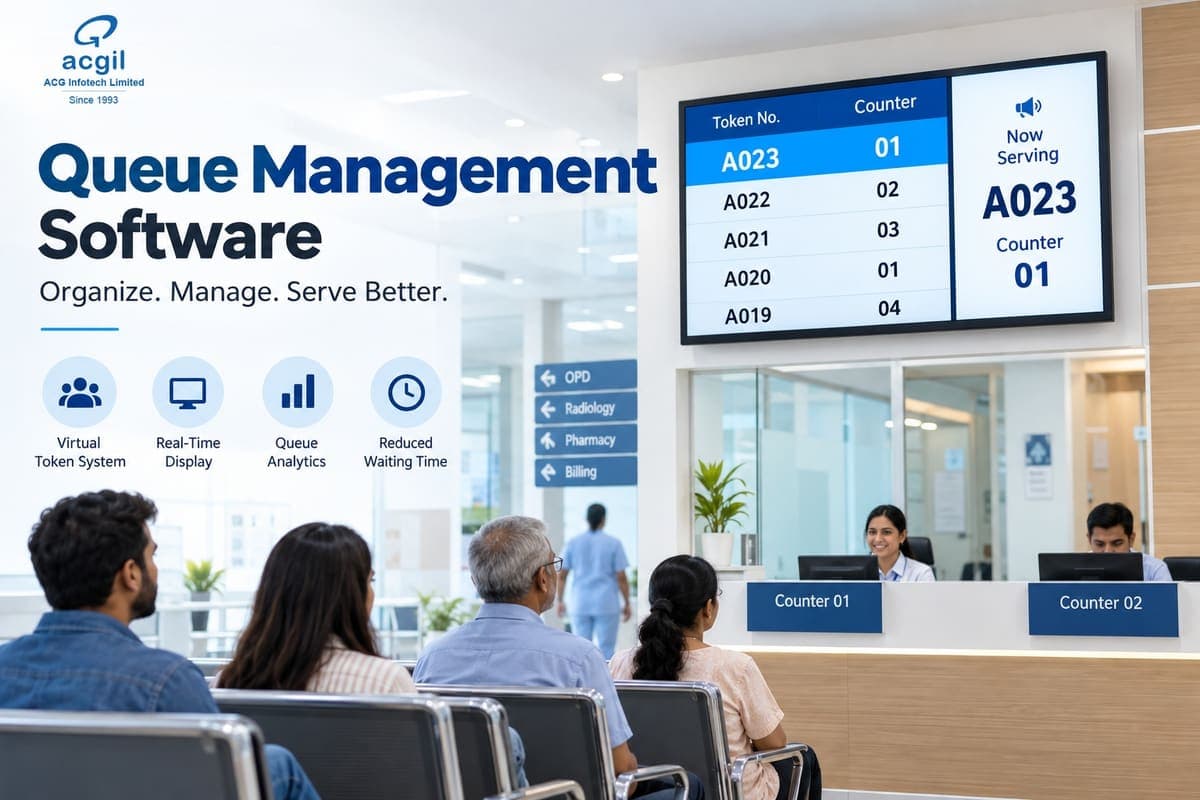
A Queue Management System is a combination of hardware and software that organizes, controls, and monitors the flow of customers through a service environment. Instead of standing in a physical line, customers receive a token or ticket, wait comfortably, and are called when it is their turn.
The system also gives management real-time visibility into how many customers are waiting, how long they have waited, and how efficiently staff are serving them.
Core Components of a Queue Management System
- Token dispenser or kiosk: A touchscreen or button-based unit where customers select a service and receive a numbered ticket.
- Digital display screens: LED or LCD screens that show the current token number and the counter it is being served at.
- Counter or operator panel: A device or software interface that staff use to call the next customer, transfer a token, or mark a service as complete.
- Central management software: The core of the system, which generates tokens, applies queue rules, stores data, and produces reports.
- Audio announcement system: Voice calls that announce token numbers and counter assignments.
- Mobile, SMS, and WhatsApp integration: Tools that let customers join a queue remotely and receive real-time updates.
- Feedback devices: Rating terminals or digital forms that capture customer satisfaction after service.
What Is Queue Management Software?
While hardware captures and displays information, queue management software is the intelligence behind the system. It determines how tokens are issued, how queues are prioritized, how customers are routed to counters, and how performance data is analyzed.
Key Functions of Queue Management Software
- Token generation and sequencing based on service type, priority, or appointment time
- Multi-queue management for different services, such as account opening, cash deposits, or customer support
- Intelligent counter allocation that routes customers to the most suitable available counter
- Wait time estimation shown to customers and staff
- Automated notifications via SMS, email, or WhatsApp
- Appointment scheduling to spread demand throughout the day
- Analytics and reporting on peak hours, service times, and staff performance
- Customer feedback collection for continuous improvement
Types of Queue Management Software
On-premise software is installed on the organization's own servers. It offers greater control over data and customization but requires higher upfront investment and in-house IT support.
Cloud-based software (SaaS) runs over the internet on a subscription model. It is quicker to deploy, easier to scale, and well suited to multi-branch businesses that want centralized control.
Virtual queue software lets customers take a token through a mobile app, QR code, or messaging platform and wait wherever they like, returning only when their turn is near.
Appointment-based software combines scheduling with queue management, so customers arrive at a booked time and walk-ins are handled around scheduled visits.
What Is a Queue Management ERP System?
Enterprise Resource Planning (ERP) software integrates a company's core functions, such as finance, human resources, sales, inventory, procurement, and customer service, into one unified platform.
A Queue Management ERP System connects queue management directly to these business functions. Rather than operating as a standalone tool that issues numbers, the queue becomes part of the organization's overall workflow and data ecosystem.
How ERP Integration Changes Queue Management
| Aspect | Standalone Queue Software | ERP-Integrated Queue System |
|---|---|---|
| Primary function | Token issuing and line control | End-to-end customer journey management |
| Customer data | Basic or none | Full history from CRM and ERP |
| Staff management | Counter assignment only | Linked with HR, attendance, and shifts |
| Billing | Separate | Connected to invoicing and payments |
| Reporting | Queue metrics only | Combined queue, sales, service, and financial data |
| Scalability | Moderate | High, across departments and branches |
Practical Examples of ERP-Integrated Queue Systems
- Hospitals: A patient's token links to their registration record. The doctor sees medical history on arrival, and billing, laboratory, and pharmacy services follow within the same system.
- Banks: Tokens connect to customer profiles and KYC records, so staff know the purpose of the visit in advance and can serve customers faster.
- Retail chains: Queues at billing, returns, and customer service desks connect to inventory and sales data.
- Automobile service centers: Customer tokens link to job cards, spare parts availability, estimates, and delivery schedules.
- Government offices: Tokens connect to application records, document verification, and fee payment, which creates a transparent, auditable process.
In essence, ERP integration turns queue management from a crowd-control tool into a strategic business asset.
How Does a Queue Management System Work?
The typical workflow follows these steps:
- Arrival or remote check-in: The customer arrives at the premises or joins the queue through a mobile app, QR code, or message.
- Service selection: The customer selects the required service at a kiosk or on their phone.
- Token issuance: The system generates a unique token, such as A-045, and displays the estimated wait time.
- Waiting: The customer waits in a comfortable area, or away from the premises if virtual queuing is enabled.
- Calling: When the turn approaches, the customer is notified through screens, voice announcements, or SMS.
- Service delivery: The staff member serves the customer while the system records service duration.
- Feedback: The customer can rate the experience immediately after service.
- Data analysis: Management reviews dashboards and reports to identify bottlenecks and improve operations.
Where Are Queue Management Systems Used?
Any environment where customers wait for service can benefit from queue management.
Banking and financial services: Banks use queue systems to separate transactions by type, prioritize senior citizens or premium clients, and reduce teller congestion.
Healthcare: Hospitals and clinics manage OPD registration, consultations, diagnostics, and pharmacy queues. Emergency prioritization and reduced crowding improve both patient experience and safety.
Government and public services: Passport offices, transport authorities, tax offices, utility departments, and municipal bodies use QMS to bring order, fairness, and transparency to high-volume service delivery.
Retail and shopping malls: Customer service desks, returns counters, and billing areas use queue systems to reduce abandonment and improve satisfaction.
Telecommunications: Service stores use token systems for SIM activation, device repair, and complaint handling.
Automotive: Showrooms and service centers manage service bookings, vehicle handovers, and billing.
Education: Schools, colleges, and universities handle admissions, fee payments, and document collection.
Transportation hubs: Airports, railway stations, and bus terminals manage check-in, ticketing, and security processing.
Hospitality and food service: Restaurants and food courts run waitlists and order-pickup systems.
Corporate offices: Visitor management, HR helpdesks, and IT support desks benefit from structured queues.
Religious and tourist sites: Slot booking and crowd management ensure safety and a better visitor experience.
Key Benefits of Queue Management Systems
1. Improved Customer Experience
Much of the frustration in waiting comes from uncertainty. When customers know their position and expected wait, perceived waiting time drops and satisfaction rises.
2. Reduced Waiting Times
Intelligent routing ensures customers are directed to the right counter without delay. Appointment scheduling further smooths demand.
3. Better Crowd Control and Safety
Organized queues eliminate pushing, line-jumping, and overcrowding. Virtual queuing reduces footfall in waiting areas, supporting safety and hygiene.
4. Higher Staff Productivity
Employees spend less time managing lines and resolving disputes, and more time serving customers. Counter workload becomes more balanced.
5. Data-Driven Decision Making
Reports reveal peak hours, average service times, no-show rates, and service demand. Managers can plan staffing and processes using facts rather than assumptions.
6. Fairness and Transparency
Clear rules for priority and sequence ensure every customer is treated consistently, which builds trust, particularly in public service environments.
7. Stronger Brand Image
A well-organized service environment signals professionalism, modernity, and respect for customers' time.
8. Increased Customer Loyalty
Customers who experience quick, predictable service are more likely to return and recommend the business to others.
9. Revenue Protection and Growth
In retail and service settings, long queues cause walk-aways and abandoned purchases. Reducing waiting time directly protects revenue and allows more customers to be served each day.
10. Lower Staff Stress
Calmer waiting areas mean fewer confrontations, which improves employee morale and reduces burnout.
11. Centralized Multi-Branch Control
Head offices can monitor all locations from one dashboard, compare performance, and standardize service quality.
12. Reduced Errors
Digital tokens and automated records replace paper slips and manual registers, minimizing mistakes and disputes.
Why Should a Company Invest in Queue Management?
It protects competitiveness. Customers have many options, and speed and convenience are major differentiators.
It reduces complaints. A large share of customer dissatisfaction stems from waiting and confusion, and both are directly addressed by QMS.
It makes performance measurable. Without data, improvement is guesswork. Queue analytics provide a clear view of what works and what does not.
It optimizes costs. Understanding demand patterns helps avoid both overstaffing and understaffing, so labor costs align with real needs.
It supports digital transformation. Queue management is often an accessible first step toward broader digitization of customer-facing operations.
It enhances compliance and accountability. In regulated environments, digital records create audit trails for service delivery.
How Queue Management ERP Software Simplifies Business Operations
An ERP-integrated queue management system provides advantages that go well beyond a standalone solution.
Unified Data and Workflow
Customer details, service history, billing, and feedback are available in one place. Staff do not need to switch between multiple applications.
Real-Time Operational Visibility
Managers can see live queue lengths, counter status, and staff availability, enabling immediate decisions such as opening an extra counter during a rush.
Process Automation
Notifications, reminders, appointment confirmations, invoicing, and report generation occur automatically, saving time and reducing manual workload.
HR and Attendance Integration
Queue data can be linked with shift schedules, attendance, and performance records, making workforce planning more accurate and fair.
CRM Integration
When staff can see a customer's history and preferences, they can offer faster, more personalized service and identify upselling or support opportunities.
Seamless Billing and Payments
Once service is completed, invoicing and payment can happen within the same workflow, removing the need for a separate payment queue.
Inventory and Service Alignment
For product and service businesses, queue data can link with stock levels, parts availability, and job status, so customers receive accurate information immediately.
Consolidated Reporting
Leadership gets a complete view of customer flow, revenue, service quality, and staff performance in unified dashboards.
Scalability
As the business grows, new branches, counters, services, and users can be added without replacing the system.
Features to Look for in Queue Management Software
When evaluating solutions, consider whether they offer:
- Multi-branch and multi-service support
- Priority and VIP queue configuration
- SMS, WhatsApp, and email notifications
- QR code and mobile token generation
- Online appointment booking
- Real-time dashboards and advanced analytics
- Customer feedback and rating tools
- Multi-language support
- Voice announcements and digital signage integration
- Open APIs for ERP, CRM, and billing integration
- Role-based access control and strong data security
- Custom branding
- Offline functionality for continuity during internet outages
How to Choose the Right Queue Management System
- Assess your requirements. Consider daily customer volume, number of counters and services, peak periods, and customer profiles.
- Define your budget. Include hardware, software licensing or subscription, installation, training, and ongoing support.
- Decide on deployment. Choose between cloud and on-premise based on security policies, IT capacity, and scalability needs.
- Verify integration capabilities. Confirm compatibility with your existing ERP, CRM, billing, and HR systems.
- Request a demonstration or pilot. Seeing the system in a real environment reveals usability and fit.
- Evaluate vendor support. Look for implementation assistance, training, responsive technical support, and a clear update roadmap.
- Check scalability. Ensure the platform can grow with your business.
- Review references. Case studies and customer testimonials from similar industries provide valuable assurance.
Implementation Roadmap
- Needs analysis: Map current customer flows and identify pain points.
- Solution design: Determine the number of kiosks, screens, counters, and queues required.
- Configuration: Set up services, priority rules, workflows, and user roles.
- Hardware installation: Deploy kiosks, displays, and audio systems.
- Integration: Connect the queue system with ERP, CRM, billing, and other platforms.
- Training: Educate staff on operation, troubleshooting, and customer guidance.
- Pilot launch: Test in one branch or department and gather feedback.
- Full rollout: Extend the system across all locations.
- Continuous optimization: Use analytics to refine staffing, workflows, and service quality.
Common Challenges and How to Overcome Them
Staff resistance to change: Involve employees early, provide thorough training, and communicate how the system makes their work easier.
Customer unfamiliarity: Use simple interfaces, local language options, and a floor assistant during the initial period.
Connectivity or power interruptions: Choose systems with offline modes and install backup power.
Upfront investment: Consider cloud subscription models that reduce initial costs and spread expenses over time.
Data security concerns: Select vendors that provide encryption, access controls, regular security updates, and compliance with data protection regulations.
The Future of Queue Management
Queue management continues to evolve alongside broader technology trends:
- AI-powered wait time prediction that improves accuracy using historical and real-time data
- Predictive staffing that recommends optimal workforce levels based on forecasted demand
- Contactless and biometric check-in for faster, hygienic service
- Chatbots and voice assistants that handle queue joining and status inquiries
- IoT sensors and computer vision that measure footfall and crowd density automatically
- WhatsApp-first and messaging-based queues that meet customers on platforms they already use
- Omnichannel service orchestration that unifies physical, phone, and digital queues
Organizations that adopt these capabilities early will be better positioned to deliver seamless, personalized service.
Frequently Asked Questions
What is a queue management system?
It is a combination of hardware and software that organizes customer waiting through tokens, displays, notifications, and analytics, ensuring orderly and efficient service.
What is the difference between queue management software and an ERP system?
Queue management software controls customer flow and service queues. An ERP system manages broader business functions such as finance, HR, sales, and inventory. Integrating them connects customer service with the entire organization.
Can small businesses use queue management systems?
Yes. Cloud-based and mobile solutions are affordable and suit clinics, salons, showrooms, restaurants, and small service centers.
Can customers join queues remotely?
Yes. Virtual queuing through apps, QR codes, SMS, or WhatsApp allows customers to take a token and wait elsewhere.
How long does implementation take?
Cloud-based setups can go live within days. Systems with extensive hardware and ERP integration typically require several weeks.
Is customer data secure?
With a reputable provider using encryption, secure hosting, and strict access controls, data security can be strong and compliant with regulations.
How do you measure the return on investment?
Track reductions in average wait time and abandonment, improvements in customer satisfaction scores, increases in customers served per day, fewer complaints, and gains in staff productivity.
Conclusion
Time is among the most valuable things a customer offers a business. Poorly managed queues waste it, frustrate people, and push them toward competitors. Well-managed queues do the opposite: they show respect for the customer, bring order to operations, and generate insights that help the business grow.
Queue management systems provide the foundation for organized service. Queue management software adds intelligence, automation, and analytics. Queue management ERP integration completes the picture by connecting the customer's journey with every function of the organization, from billing and inventory to HR and reporting.
Whether you run a bank, hospital, retail chain, service center, educational institution, or government office, investing in a modern queue management solution is a practical step toward higher efficiency, stronger customer relationships, and a more professional brand. The organizations that act now will set the standard for service experience in their industries.
Ready to eliminate waiting lines? Explore ACGIL's Queue Management System or talk to our team about an ERP-integrated deployment for your branches.